The map
Connecting locations, travel distance and painted backdrop art.
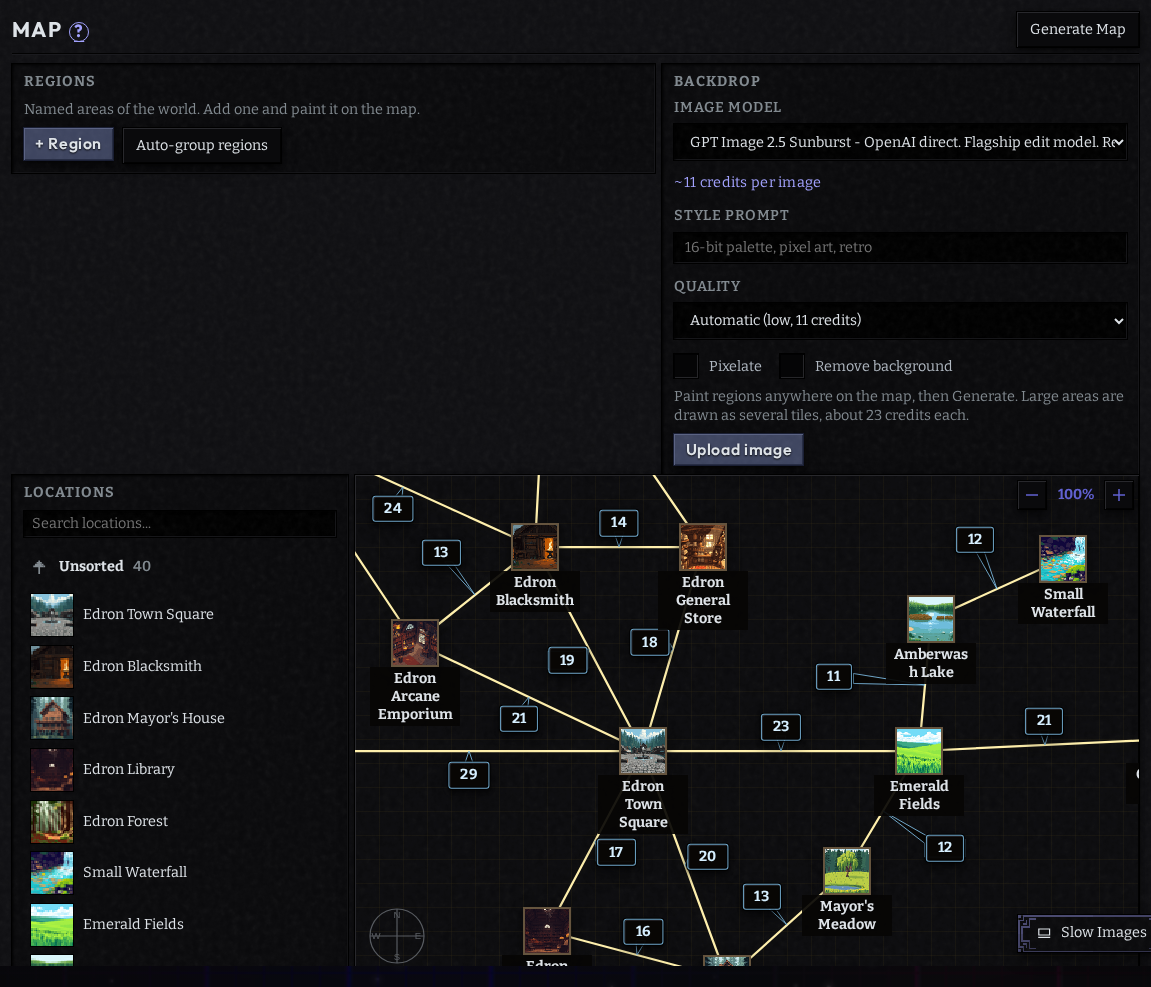
The Map step lays out your locations and the roads between them. Connections are how the party moves. A location with no connections can't be reached, however good its description.
Connecting places
- Drag a location onto another to offer a connection between them.
- Click a connection's distance to change how far apart the two are. Travel takes in-game
time based on distance and the
travelSpeedformula. - Remove a connection with the × on its line.
Moving nodes:
- Shift-click adds a location to the selection; grabbing a selected one moves the whole group, keeping its shape. Use it to move a village, a ship or a dungeon floor at once.
- Shift-drag on empty canvas draws a selection box. A plain drag pans.
Prompt for the layout instead of dragging every node:
Lay the village out along the shore, with the lighthouse at the far end past the cliffs
Backdrop art
The map can sit on a picture of your world. You paint it roughly, and the art is drawn from your paint.
- Add terrain: each entry is a color, a name and what it looks like (The Verdant Reach: dense old-growth forest, mist in the valleys). The name shows as a label on the player's map. Terrain is art only: the narrator and the rules never read it, so put anything the story should know in lore or a location's description.
- Paint on map: brush each terrain's color roughly where it lies.
Bdraws,Eerases,Hpans. - Generate Art turns the paint into finished map art, following each terrain's description.
- Leave Align nodes ticked to have the finished art read back and each location moved onto the part drawn for it. It costs a few credits; the checkbox shows the estimate.
Or Upload image to use your own art, then Move image, Scale and Opacity to line it up with your locations.