The editor
The steps down the side of /create, what each is for, and why some disappear.
Three columns: the step rail on the left, the current step in the middle, and the Prompt panel on the right. The rail is a list, not a wizard. Jump to any step whenever you like.
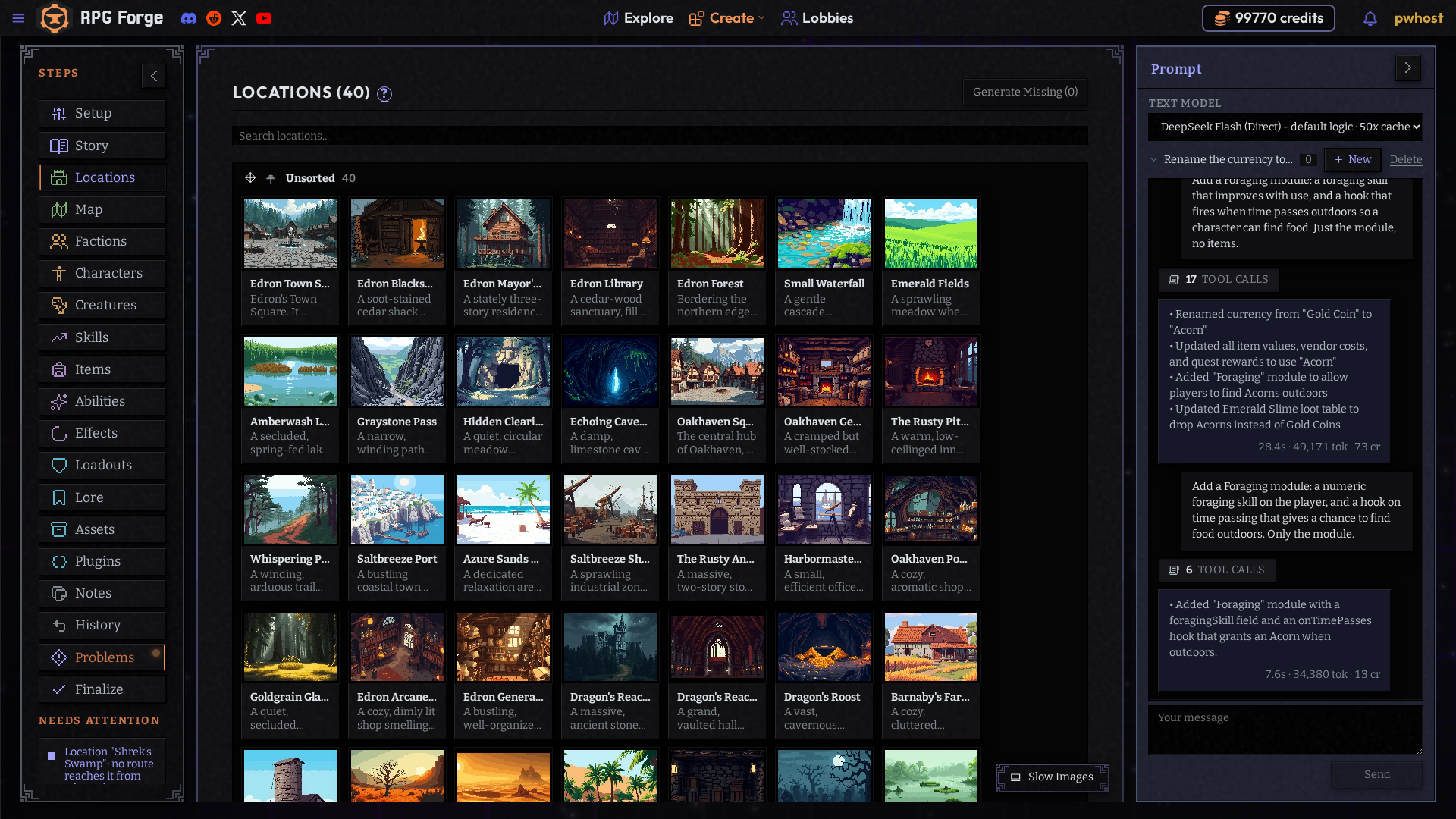
The steps

In rail order:
| Step | What it's for |
|---|---|
| Setup | Name, setting, tone, and the toggles that decide which systems exist. See World systems. |
| Story | The opening, the narrator's tone, world quests and events. See Story and world events. |
| Locations | Places, their descriptions, what's in them. See Locations. |
| Map | How locations connect. A place with no connection is a place nobody can reach. See The map. |
| Factions | Groups that want incompatible things. Do these early. See Factions. |
| Characters | NPCs, and the player character. See Characters. |
| Creatures | Things that fight. See Items and creatures. |
| Skills | Trained competences held in ranks, like Lockpicking. See Skills. |
| Items | Things to carry, wear, eat or use. See Items. |
| Abilities | What characters can do beyond a plain attack: Fireball, Shield Bash. See Abilities. |
| Effects | Statuses that land and wear off: poisoned, blessed, burning. See Effects. |
| Loadouts | What a player starts with and can choose at creation. See Shops and loadouts. |
| Lore | Background the narrator looks things up in. See Lore. |
| Assets | Browse and add shared characters, items, plugins and packs from other authors. See Assets. |
| Plugins | Your game's systems: hunger, stamina, your own. See Plugins. |
| Notes | A shared scratchpad for you and your collaborators. Players never see it. See Working together. |
| History | Every saved edit. Undo any one without losing the edits after it. |
| Problems | Everything broken or unfinished, in one list. See Problems. |
| Finalize | Check for problems and publish. See Publishing. |
Steps disappear on purpose
If a step vanishes, a Setup toggle turned its system off. The editor hides steps whose data nothing would use. Your data is still there; turn the toggle back on and it returns.
| Step | Shown when |
|---|---|
| Creatures | combat is on |
| Abilities | abilities are on |
| Loadouts | players choose starting items or abilities |
| Lore | lore is on |
Prompt or type, it's the same
Every step works both ways. The Prompt panel fills in the same fields you would. Most authors end up prompting the content (places, people, things) and setting the numbers by hand. The AI is good at inventing a harbormaster and bad at deciding how fast a fever should climb.